
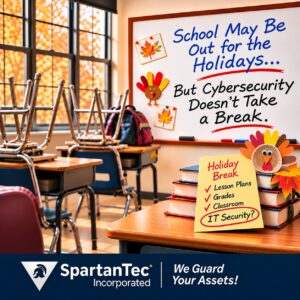
School may be out for the holidays, but protecting student information never takes a break.
The holiday season is approaching, and schools across the Carolinas are preparing for a well-deserved break.
Students are looking forward to time with their families. Teachers are wrapping up assignments. Administrators are juggling schedules, activities, and everything that needs to happen before the buildings become a little quieter.
But while classrooms may be empty for a few days, the technology supporting those schools doesn’t simply shut down.
Student records remain stored. School applications continue operating. Employees may still access information remotely.
And as recent events in South Carolina have shown, protecting that information is a responsibility that doesn’t take a holiday.
A Recent South Carolina Cybersecurity Incident Raises Important Questions
In October 2026, several South Carolina school districts notified families about a cybersecurity incident involving Frontline Education, a software provider used by school systems nationwide.
The incident originated in Frontline’s technology environment, not in the affected school districts’ own networks.
Anderson School District 3 confirmed that information associated with its students was involved. Greenwood School District 50 reported that information associated with approximately 16,678 current and former students was affected.
Frontline has since reported that it addressed the vulnerability and began notifying affected individuals.
The important lesson isn’t that these schools failed to protect their systems.
The important lesson is that a school’s responsibility to protect student information extends beyond the computers and networks inside its buildings.
Schools depend on software providers for everything from student records and health information to employee management and classroom applications.
That creates an important question for school leadership:
Do you know where your school’s sensitive information is stored, who can access it, and what happens if something goes wrong?
It’s Not Just South Carolina. Schools Nationwide Are Facing Similar Challenges.
The recent incident isn’t an isolated reminder of the challenges schools face.
According to the 2026 State of K–12 Cybersecurity Report, released by the Center for Internet Security in partnership with CoSN and the MS-ISAC:
- 51% of surveyed schools and districts experienced a cybersecurity incident during the previous 12 months.
- 34% reported that a cybersecurity incident affected school operations.
- 66% of surveyed districts had only one or two people responsible for cybersecurity.
These findings highlight a challenge familiar to many schools: technology responsibilities continue growing, but the people and resources available to manage them may be limited.
For smaller charter and private schools, that challenge can be especially difficult.
An administrator may be responsible for technology decisions while also managing staffing, finances, facilities, and daily school operations.
Teachers depend on classroom technology, parents expect reliable communication, and students need their information protected.
That’s a lot to manage, especially when everyone is preparing for a holiday break.
Be Aware of Where Your Student Information Lives
Think about how many different systems your school uses.
Student information systems. Learning platforms. Health records. Enrollment applications. Payroll systems. Cloud storage.
Some may be managed internally. Others are operated by outside providers.
School leaders don’t need to understand every technical detail, but they should know which systems contain sensitive information and who is responsible for protecting it.
Start by asking:
- What applications store student or employee information?
- Who has access to that information?
- Which outside providers manage or store it?
- Who contacts the school if a provider experiences a security incident?
Having these answers documented makes it easier to respond when an unexpected situation arises.
Make Sure School Devices Are Protected During Breaks
A school holiday doesn’t mean every device stays safely locked inside a classroom.
Teachers may take laptops home. Administrators may check emails remotely. Students may continue using school-issued devices.
That makes consistent device protection important.
Computers and other school-managed devices should receive appropriate security updates, have suitable protection in place, and follow established access requirements.
For schools that rely on multiple devices and applications, proactive IT management and support can help maintain consistent oversight rather than waiting for a problem to interrupt school operations.
A useful question: If a school-issued laptop was lost over Thanksgiving break, would your school know what information could be accessed and what steps to take?
Review Who Can Access School Systems
School communities change throughout the year.
Teachers leave. Substitute teachers come and go. Contractors assist with projects. Administrative responsibilities shift.
But access to school information doesn’t always change as quickly as staffing does.
Before the holiday break, review who has access to important systems and whether those permissions are still necessary.
Pay particular attention to accounts belonging to former employees, temporary staff, and outside service providers.
Multi-factor authentication also adds an important layer of protection to accounts that access sensitive information.
For more information, read our article, Why Passwords Alone No Longer Protect Your Business.
The goal is simple: Only the right people should have access to the right information.
Understand What Happens When a Software Provider Has a Problem
The recent South Carolina school incident illustrates something every school should consider.
Even when a school’s internal systems are secure, an outside provider may experience a problem that affects school information.
That doesn’t mean schools should stop using outside technology providers.
It means school leadership should understand how those relationships are managed.
Ask your providers:
- How will our school be notified if our information is affected?
- Who is responsible for investigating the incident?
- What information will you provide to help us communicate with families?
- What steps are taken to protect and recover our information?
The answers should be clear before an incident occurs.
Have a Plan Before Everyone Leaves for the Holidays
Schools routinely prepare for fire drills, severe weather, and other emergencies.
Technology disruptions deserve some of that same attention.
Before closing for the holiday break, confirm who is responsible for responding to an urgent technology issue.
Make sure school leadership knows how to contact its technology support team and how families or employees would receive important communications if normal systems were unavailable.
This doesn’t require a complicated plan.
It requires clear responsibilities, current contact information, and a shared understanding of what happens next.
SpartanTec’s SecureGuard360 cybersecurity approach combines layered security, monitoring, and proactive protection to help organizations identify and reduce technology risks.
Protecting Students Is a Year-Round Responsibility
Whether it’s a large public school district, a small private school, or a growing charter school, families trust educational organizations with information that deserves protection.
And that trust doesn’t end when the final bell rings before Thanksgiving.
The recent South Carolina incident reminds us that cybersecurity isn’t just about preventing someone from accessing a school network.
It’s also about understanding where information is stored, knowing who is responsible for it, and being prepared when something unexpected happens.
For school leaders throughout South Carolina and North Carolina, the best place to start is with a few thoughtful questions and a clear understanding of their current technology environment.
Because students and teachers deserve a holiday break, and school leadership deserves the confidence that important information is being protected.
Is Your School’s Technology Ready for the Holiday Break?
You have enough to think about when it comes to running a school. Wondering whether your technology and student information are protected shouldn’t be another concern. If you’d like a second set of eyes on your school’s cybersecurity readiness, we’re happy to have that conversation.
Serving charter schools, private schools, and organizations throughout South Carolina and North Carolina.
Frequently Asked Questions
Why are schools targets for cybersecurity incidents?
Schools manage valuable personal information, rely on numerous connected systems, and often have limited technology resources. These factors can make them vulnerable to cyber threats and disruptions.
Can student information be exposed even if a school’s network isn’t breached?
Yes. Student information may be stored or processed by outside software providers. A cybersecurity incident affecting one of those providers can expose information even when the school’s internal network remains secure.
What cybersecurity steps should schools take before holiday breaks?
Review employee access, confirm device protections and updates, identify emergency technology contacts, verify communication procedures, and make sure important information is appropriately protected.
How can charter and private schools improve cybersecurity with limited IT resources?
Start by identifying critical systems and sensitive information, strengthening account security, maintaining device protection, and documenting responsibilities. An experienced IT partner can help prioritize improvements according to the school’s needs and resources.
What should school leaders ask their technology providers?
Ask where sensitive information is stored, how access is controlled, what security protections are in place, how incidents are reported, and who is responsible for helping the school respond.

