

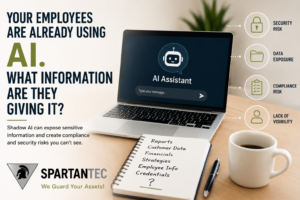
I recently had a conversation with the owner of a small business about AI.
The company operates in an environment where protecting sensitive information and meeting compliance requirements are important parts of doing business.
During our conversation, I asked a pretty simple question:
Do you know which AI tools your employees are using?
He didn’t.
Then we started talking about what employees might be putting into those tools.
Customer information? Documents? Financial information? Internal emails? Spreadsheets? Information they were using AI to summarize, rewrite or analyze?
You could see the concern immediately.
Not because he was against AI. In fact, he could see plenty of ways AI might help his employees work more efficiently.
What concerned him was realizing that employees could already be using AI for company business and he had very little visibility into which tools they were using, what information they were giving those tools, or what happened to that information afterward.
That’s Shadow AI.
We’ve written more about this growing issue in Shadow AI – Hidden AI Tools Putting Your Business at Risk, including why employees often adopt AI tools before leadership or IT has visibility into them.
And I think a lot of small and midsize organizations are going to have the same realization.
Shadow AI Can Start in About 30 Seconds
Traditional technology usually comes into an organization through someone.
A computer gets purchased. Software gets installed. A cloud application gets approved. IT creates an account.
AI changed that.
An employee can open a browser, create an account and begin using an AI tool almost immediately.
They don’t have to be trying to bypass company policy. Most of the time, they’re probably trying to get their work done faster.
Maybe someone asks AI to rewrite an email. Then they use it to summarize a document. Someone else uploads a spreadsheet to help analyze the information. Another employee copies a customer’s email into an AI tool and asks it to draft a response.
Each decision may seem harmless.
But collectively, they create an important question for leadership:
What company information is being shared with AI tools we don’t know about?
The Risk Gets Bigger When Compliance Is Involved
This was what made my recent conversation with the small-business owner particularly important.
His organization has compliance obligations.
Suddenly, this wasn’t simply a discussion about employees experimenting with new technology. It became a conversation about data.
What information does the organization have a responsibility to protect? Where is that information allowed to go? Which AI platforms are appropriate for company use? Are employees using personal accounts or organization-approved business accounts? Could sensitive or regulated information be copied into a tool without anyone realizing it?
And if a customer, auditor, insurer or other third party asked what controls were in place around AI use, what would the answer be?
Those are very different questions from: “Should we let employees use AI?”
How do we let employees use AI without creating risks we don’t understand?
The Problem Isn’t AI. It’s AI Without Visibility.
AI can be incredibly useful.
It can help employees research, summarize, organize information, draft content, analyze information and accomplish routine tasks more efficiently.
I don’t think telling employees simply to stop using AI is a realistic long-term strategy for most organizations.
But ignoring how they’re using it isn’t much of a strategy either.
The first step is visibility.
You can’t create reasonable AI guidelines until you understand what’s actually happening.
- Which AI tools employees are using for work.
- Whether they’re using personal or organization-approved accounts.
- What types of company information they’re entering or uploading.
- Which tools the organization has actually approved.
- Whether employees understand what information should never be shared with an unapproved AI service.
What Information Should Employees Avoid Sharing?
There isn’t one rule that applies to every AI product or every organization.
Different AI services, account types and business configurations can have different data protections. That’s why it’s important to understand the specific tool being used rather than simply labeling every AI service as either “safe” or “unsafe.”
But there is a good starting point.
If an AI tool hasn’t been reviewed and approved for company use, employees should avoid entering sensitive or protected information such as customer or client information, financial information, credentials, personnel records, student information, donor information, proprietary documents, internal strategy and other confidential business data.
A simple rule for employees is:
If you wouldn’t intentionally send the information outside your organization, don’t paste or upload it into an unapproved AI tool.
Personal AI Account or Business AI Account? It Matters.
Another important part of this conversation is understanding how employees are accessing AI.
An employee using a personal consumer account may not be operating under the same protections and organizational controls available through an approved business AI environment.
The exact protections depend on the product, account type and how the organization’s environment has been configured.
That’s why the question shouldn’t simply be: “Are we using ChatGPT or Copilot?”
Leadership should also ask: Which version? Which account? Who approved it? What data can be used with it? What controls are in place?
Those details matter.
Try This at Your Next Staff Meeting
You don’t need to start with a 20-page AI policy.
Start with a conversation.
- Which AI tools have you used for work during the last 30 days?
- What kinds of information have you entered or uploaded into them?
- Do you know which AI tools our organization has approved?
Don’t ask these questions to catch someone doing something wrong. Ask because you need to understand how AI is actually being used before you can create reasonable guidelines around it.
The answers may surprise you. They certainly changed the direction of the conversation I recently had with that small-business owner.
Start With Awareness. Then Build the Guardrails.
Once you understand how employees are actually using AI, the next steps become much clearer.
Visibility -> Approved Tools -> Data Boundaries -> Employee Training -> Ongoing Review
Decide which AI tools make sense for your organization.
Define what information employees can and cannot use with them.
Make sure employees understand the difference.
Train employees not only on protecting information, but also on AI-enabled threats such as voice cloning, deepfake video and increasingly convincing fraudulent communications.
Then revisit the conversation as the technology changes. Because it will change.
This Is Becoming Part of IT Visibility
Earlier in this series, we asked how much leadership really knows about its IT environment.
AI adds another layer to that question.
An organization may have good documentation of its computers, servers, network, cybersecurity and cloud services while having very little visibility into the AI tools employees are using every day.
That’s why Shadow AI shouldn’t be treated only as an AI issue.
It’s becoming part of technology management, cybersecurity, data governance and business risk.
That makes AI visibility increasingly relevant to managed and co-managed IT services and the broader cybersecurity protections included in SecureGuard360.
A Better Next Step: Use the 10-Minute Shadow AI Staff Review
Ask your team which AI tools they have used for work during the last 30 days. Don’t make it complicated. Just listen to the answers.
To make that easier, SpartanTec created the 10-Minute Shadow AI Staff Review – a one-page worksheet you can use at your next staff meeting to identify which AI tools employees are using, what they’re using them for, what information may be entering those tools, and whether employees understand what has been approved.
The goal isn’t to catch someone doing something wrong. It’s to give leadership visibility before creating policies or making technology decisions.
Download the 10-Minute Shadow AI Staff Review
Use the results to identify where practical AI guardrails are needed. SpartanTec can then help you turn what you learn into an AI use plan that fits your organization.
Frequently Asked Questions
What is Shadow AI?
Shadow AI is the use of AI tools for work without the organization’s approval, visibility, or established guidance.
Should businesses ban ChatGPT and other AI tools?
A blanket ban may not be practical for every organization. A more workable approach is often to identify approved tools, define acceptable uses, protect sensitive information, and train employees.
What data should employees avoid putting into unapproved AI tools?
Customer or client information, credentials, sensitive financial information, personnel records, student or donor information, proprietary documents, internal strategy, and other protected or confidential business data should not be entered into an unapproved AI tool.
Is Microsoft Copilot or ChatGPT automatically safe for every type of business information?
No single answer applies to every product or account. Organizations should understand the specific AI service, account type, organizational configuration, permissions, data protections, and approved uses before deciding what information can appropriately be used with it.
What should an AI acceptable-use policy include?
It should identify approved tools, prohibited information, acceptable business uses, human-review requirements, accountability, and how employees should handle uncertain situations.
Why does AI use matter for organizations with compliance obligations?
Regulated and compliance-sensitive organizations may have specific responsibilities for protecting customer, employee, financial, student, health, or other sensitive information. AI use should be considered as part of the organization’s broader data protection and technology governance practices.

