

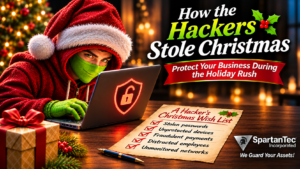
Don’t let hackers steal your holiday success. Protect your business from seasonal cyber threats, fraudulent payments, and costly downtime.
The orders are coming in, packages are being delivered, employees are preparing for holiday celebrations, and businesses are working hard to finish the year strong.
But while you’re checking off your year-end to-do list, cybercriminals are working on a list of their own.
They’re looking for distracted employees, unprotected devices, fraudulent payment opportunities, and businesses too busy to notice when something isn’t quite right.
December can be one of the busiest and most profitable months of the year. Whether you’re managing holiday sales, meeting client deadlines, processing year-end donations, or closing out your financials, the last thing you need is a cybersecurity incident that brings everything to a stop.
Don’t let hackers steal your season’s success.
Why the Holiday Rush Is a Gift to Cybercriminals
The holiday season brings changes to our normal routines. Inboxes are fuller, deadlines are tighter, online transactions increase, and employees are juggling professional and personal responsibilities.
An unexpected shipping notification, last-minute invoice, or holiday gift notification might not receive the same attention it normally would.
Cybercriminals know this.
The FBI and Cybersecurity and Infrastructure Security Agency (CISA) have previously issued a joint advisory about ransomware threats during holidays and weekends, highlighting how attackers can take advantage of periods when organizations have fewer employees available to detect and respond to suspicious activity.
For businesses across North and South Carolina, the holiday rush makes it especially important to have cybersecurity protections working behind the scenes.
What’s on a Hacker’s Christmas Wish List?
Cybercriminals don’t always need sophisticated methods to gain access to your business. Sometimes, all they need is one employee who is too busy to take a second look.
Here are five holiday-themed phishing scams your employees should watch for:
Fake Shipping and Delivery Notifications
A message claims a package has been delayed, requires additional payment, or needs an address confirmation. The link may lead to a fraudulent website designed to steal login credentials or deliver malicious software.
Fraudulent Year-End Invoices
An email appears to come from a familiar vendor requesting payment before the end of the year. It may contain a malicious attachment, updated banking information, or fraudulent payment instructions.
Fake Holiday Bonuses and Employee Gifts
Who wouldn’t want an unexpected holiday bonus? Cybercriminals use fake gift cards, employee rewards, and bonus announcements to trick employees into sharing sensitive information or company login credentials.
Fraudulent Charitable Giving Requests
The season of giving creates opportunities for scammers to impersonate legitimate charities, redirect donations, and collect sensitive financial information.
Fake Order Confirmations and Refund Requests
An unexpected purchase confirmation or refund notification can create a sense of urgency, encouraging employees to click before verifying whether the transaction is legitimate.
These scams are effective because they blend into the activities people are already managing during the holidays.
When One Click Steals More Than Christmas
Imagine it’s one of your busiest days in December.
Customers are waiting, employees are working against deadlines, and your accounting team is trying to close out the year.
An employee receives what appears to be a legitimate shipping notification. They click the link and enter their company email credentials, believing they’re accessing a trusted website.
Unfortunately, they’ve just handed a cybercriminal access to their account.
Depending on the protections in place, that compromised account could lead to unauthorized access, fraudulent payments, stolen information, or a much larger cybersecurity incident.
Suddenly, your employees may be unable to access email, accounting software, customer records, or other critical business applications.
The consequences can extend far beyond the cost of fixing your technology:
- Lost sales and revenue opportunities
- Missed customer and client deadlines
- Unproductive employee hours
- Delayed payments and collections
- Interrupted customer service
- Unexpected recovery expenses
- Damage to customer confidence
During your busiest weeks of the year, even a relatively short interruption can have lasting consequences.
The Holiday Expense You Didn’t Budget For
Holiday bonuses, company celebrations, and year-end expenses may already be part of your December budget. An unexpected technology outage probably isn’t.
So, what would downtime actually cost your business?
Consider an organization with 25 employees and an average hourly employment cost of $40 per person.
If all 25 employees are unable to perform their normal duties for four hours, that represents approximately $4,000 in employee time alone.
That doesn’t include lost sales, missed appointments, delayed projects, recovery expenses, or the additional time employees spend catching up.
For businesses experiencing their highest revenue or workload of the year, the financial impact could be significantly greater.
As we discussed in our article, This Thanksgiving, Be Thankful for the Problems That Never Happened, some of the most valuable technology investments are the ones that help prevent problems from happening in the first place.
Understanding the potential cost of downtime puts the value of proactive IT management and cybersecurity into perspective.
Give Your Employees More Than a Holiday Warning
Reminding employees to watch for suspicious emails is important, but they shouldn’t be your organization’s only line of defense.
Even experienced, well-trained employees can make mistakes, especially when they’re busy.
Having multiple layers of protection in place can help prevent a simple mistake from becoming a costly business disruption.
Email Security
Helps identify suspicious messages, malicious attachments, and fraudulent communications before they reach employees.
Endpoint Protection
Helps detect and contain malicious activity on computers and other supported business devices.
24/7 Security Monitoring
Helps identify unusual activity, suspicious login attempts, unauthorized access, and potential cybersecurity threats, even when your employees are away from the office.
Proactive IT Maintenance
Helps identify technology issues and security vulnerabilities before they develop into larger business disruptions.
Rapid Incident Response
Provides the expertise needed to investigate, contain, and respond to cybersecurity incidents, helping minimize their potential impact on your operations.
SpartanTec’s SecureGuard360 cybersecurity solution helps businesses strengthen their defenses through continuous security monitoring and threat detection, alongside other layers of cybersecurity protection and proactive IT management.
While your employees are taking care of customers and preparing for the holidays, your technology should be working just as hard to protect them.
Check Your List Twice: A 5-Minute Holiday Phishing Checklist
You don’t need to schedule an hour-long meeting to remind employees about holiday cybersecurity. Take five minutes to review these simple precautions with your team.
- Verify shipping notifications. Visit the shipping carrier’s official website instead of clicking unexpected tracking links.
- Confirm payment changes. Contact vendors using a previously established phone number before updating payment or banking information.
- Question unexpected gifts. Verify holiday bonuses, gift cards, and employee rewards before clicking links or providing information.
- Protect your login credentials. Never enter company passwords through an unexpected email or text message link.
- Report suspicious activity immediately. Make sure employees know who to contact if they receive a suspicious message or believe they’ve made a mistake.
Encourage employees to speak up without fear of embarrassment. The sooner your IT team knows something may be wrong, the sooner they can investigate and respond.
A five-minute conversation today could help prevent hours or even days of disruption later.
Don’t Let Hackers Steal Your Christmas
The holidays should be a time to celebrate your organization’s accomplishments, take care of your customers, and enjoy some well-deserved time with family and friends.
They shouldn’t be spent recovering from a cybersecurity incident, tracking down fraudulent payments, or trying to get your business back online.
At SpartanTec, we help organizations across North and South Carolina keep their businesses moving through proactive IT management, continuous security monitoring, endpoint protection, and responsive, people-to-people support.
You worked hard for your success this year. Don’t let a cybercriminal take it away.
Book a Quick Holiday Security Checkup
Let’s make sure your business is prepared to finish the year strong and start the new year secure.
SpartanTec, Inc.
We Guard Your Assets!
Frequently Asked Questions About Holiday Cybersecurity
Why are businesses more vulnerable to cyberattacks during the holidays?
Increased transactions, heavier workloads, seasonal distractions, and reduced staffing can create opportunities for cybercriminals to exploit businesses through phishing attacks, fraudulent payment requests, and other cybersecurity threats.
What are the most common holiday phishing scams?
Common holiday phishing scams include fake shipping notifications, fraudulent invoices, fake holiday bonuses, gift card scams, fraudulent charitable donation requests, and unexpected order confirmations or refund notifications.
How can businesses reduce technology downtime during the holidays?
Businesses can reduce their risk of downtime through proactive IT maintenance, continuous security monitoring, endpoint protection, reliable backups, employee education, and an established incident response process.
Why is 24/7 cybersecurity monitoring important during the holidays?
Continuous cybersecurity monitoring helps identify suspicious activity even when employees are away from the office. Early detection and timely response can help reduce the potential impact of a cybersecurity incident.
What should an employee do if they click a suspicious holiday email link?
Employees should stop interacting with the suspicious website, avoid entering additional information, and immediately notify their IT support team. If they have already entered credentials or downloaded a file, they should communicate that information to IT so appropriate action can be taken.
How much can a cybersecurity incident cost a small business?
The cost varies depending on the severity of the incident, the number of employees affected, and the length of the disruption. Lost revenue, employee downtime, recovery expenses, fraudulent payments, and reputational damage can all contribute to the total financial impact.

