

Most business owners and organizational leaders know that a technology outage would be a problem.
But here’s a question that’s a little harder to answer:
* What would actually happen if your technology was unavailable for the next 48 hours?
Could your employees work? Could you access customer or resident information? Send invoices? Process payments? Access project files? Use email? Answer phones? Run the applications your organization depends on every day?
And then there’s an even more important question:
* How long would it actually take to get everything back?
These aren’t hypothetical concerns. We’ve seen what technology downtime can look like right here in the Carolinas.
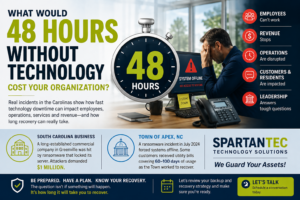
A South Carolina Business Faced a $1 Million Ransom Demand
A long-established commercial roofing company in Greenville, South Carolina was hit by ransomware that locked its server. The attackers demanded $1 million.
You don’t need to know the company’s name to understand what a situation like that could mean for a small or midsize business.
Employees still come to work. Payroll continues. Customers are still calling. Projects still have deadlines. Vendors still need answers.
But what happens when employees can’t access estimates, accounting information, project files, schedules, customer records, email or other systems they depend on every day?
The ransom demand may be the number that gets everyone’s attention, but it isn’t necessarily the only cost.
There’s employee downtime. Lost productivity. Recovery expenses. Delayed projects. Missed opportunities. Customer frustration. And potentially lost revenue.
That’s when a cybersecurity incident stops being just an IT problem. It becomes a business problem.
A North Carolina Town Shows How Long the Impact Can Last
The private sector isn’t the only place we’ve seen this happen.
In July 2024, the Town of Apex, North Carolina documented a ransomware incident after discovering irregularities in its network.
The Town took systems offline, brought in cybersecurity professionals, worked with the North Carolina Joint Cybersecurity Task Force and federal law enforcement, and began the process of securely restoring its environment.
Emergency and life-safety services continued operating, but the Town reported that other operations were functioning at limited capacity during the recovery.
Utility billing became one of the clearest examples of how a technology outage can continue affecting an organization long after the initial incident.
The Town was still able to collect meter readings, but the cyber incident created significant problems loading that information into the software needed to generate bills.
The result? Some customers eventually received bills covering about 60 days of usage. Others received bills covering about 100 days.
The billing situation became complicated enough that the Town later commissioned an independent third-party review of the utility billing issues to determine whether customers had been overcharged.
Think about everything happening behind the scenes.
Town employees still had jobs to do. Residents still expected services. Bills still needed to be generated. Questions had to be answered.
Meanwhile, IT staff, cybersecurity professionals, government agencies and other resources were working to investigate the incident and restore systems.
The technology may be down, but the organization still has to operate.
That’s the part of downtime that can easily get overlooked.
What Stops When Your Technology Stops?
The answer will be different for every organization.
For a business, it might be accounting, invoicing, production, customer service, project management, email or access to important files.
For a municipality, it could affect billing, permitting, communications, records and public services.
For a school, it could affect administrative systems, communications, classroom technology and access to student information.
For a nonprofit, it could interrupt the services people depend on.
The impact isn’t always measured only in lost revenue.
It’s also measured in employee productivity, delayed services, recovery expenses, customer or community frustration, missed deadlines and the amount of time leadership spends managing the situation.
Then Come the Questions
Once the immediate crisis begins to settle, leadership is likely to face a different set of questions.
- Were we prepared?
- Were our backups working?
- When were they last tested by actually restoring something?
- How long did we expect recovery to take?
- Did we know which systems needed to be restored first?
- Did we have a plan for operating while our normal technology was unavailable?
- Did leadership understand these risks before something happened?
These aren’t really technical questions. They’re business and leadership questions. And they’re much easier to answer before an incident than during one.
Backup Is Only Part of the Answer
One of the most common assumptions we hear is: “We have backups, so we’re covered.”
Having backups is important. But having a backup and knowing you can recover are not necessarily the same thing.
Leadership should know what is being backed up, how often it is being backed up, where those backups are stored, and when the organization last successfully restored data from them.
You should also know which systems would be restored first.
If your accounting system, email, file server and primary business application were all unavailable tomorrow morning, which one does your organization need first?
And how quickly could it realistically be restored?
That’s where a documented backup and disaster recovery strategy becomes important – one that considers not only whether your data is backed up, but how quickly your organization could actually restore critical systems and resume operations.
As we’ve discussed in our guide to surviving ransomware when prevention fails, prevention is important, but organizations also need a plan for detection, containment and recovery.
Two Numbers Leadership Should Know
Last week, we talked about how much leadership should know about its own IT environment.
Recovery is a good example of why that visibility matters.
How long can we afford to be down?
How long would it actually take us to recover?
Those answers may not be the same.
If your organization can only tolerate four hours of downtime but your current recovery process could realistically take two days, that’s something leadership should know now. Not after an incident.
Ask Your IT Provider These Three Questions
You don’t need to become an IT expert to understand whether your organization is prepared. Start by asking:
- If our primary systems went down today, what would you restore first?
- When was the last time you successfully tested restoring our data?
- How long would you realistically expect it to take to get us operational again?
Your IT provider should be able to explain the answers in terms that make sense to you. If you don’t know the answers today, that’s a good conversation to have.
Technology Decisions Look Different When You Understand Downtime
Backup, cybersecurity, monitoring and recovery can look like technology expenses when they’re viewed only as line items in a budget.
The conversation changes when leadership understands what being without technology could actually mean to the organization.
That doesn’t mean every organization needs the most expensive technology available.
It means the technology and recovery strategy should reflect how the organization actually operates and how much disruption it can tolerate.
The goal isn’t to eliminate every possible risk. It’s to know what’s important, understand what could happen, and have a realistic plan for getting the organization operational again.
A Simple Next Step
Take a few minutes and identify the three systems your organization absolutely needs to operate.
If we lost access to these today, how long would it take to get them back?
If you’re not sure how long recovery would actually take, schedule a conversation with SpartanTec. We can review your current backup and recovery strategy, identify the systems your organization depends on most, and help determine whether your recovery expectations match what your technology can actually deliver.
Frequently Asked Questions
What is IT downtime?
IT downtime is a period when a technology problem prevents or significantly limits normal operations. It can involve internet access, servers, cloud applications, email, files, phones, cybersecurity incidents or critical business software.
How much can IT downtime cost an organization?
The cost varies by organization. It can include lost revenue, employee downtime, recovery expenses, overtime, delayed projects or services, missed deadlines and customer or community impact.
How do I know how long my organization can afford to be down?
Start by identifying the systems required for critical operations and what happens when each one becomes unavailable. Consider financial impact, employee productivity, customer or public services, deadlines and regulatory requirements.
Is having a backup enough for disaster recovery?
No. Backup is one part of recovery. Organizations should also know what is protected, how quickly it can be restored, which systems should be recovered first, and whether restores have actually been tested.
What is a recovery time objective?
A recovery time objective, or RTO, is the target amount of time an organization sets for restoring a system or business function after an interruption.
How often should backups be tested?
Organizations should test restores regularly based on the importance of their data and systems. The important point is not simply that a backup job reports success, but that the organization has verified it can successfully recover the data it needs.
How can managed IT services help reduce downtime?
Proactive monitoring, maintenance, patching, cybersecurity, system documentation, responsive support, backup management and tested recovery processes can help reduce the likelihood of outages and improve the organization’s ability to recover when an interruption occurs.

